Ask any web designer to name the most expensive part of a client project and few will say design or development. They will describe the feedback loop: a PDF exported on Tuesday, an email chain by Thursday — "can we see the logo bigger?" from marketing, "ignore that, legal has concerns about the hero copy" from someone new to the thread — a compiled spreadsheet of contradictions by Monday, and a revision round that satisfies nobody because half the feedback described a version that no longer exists.
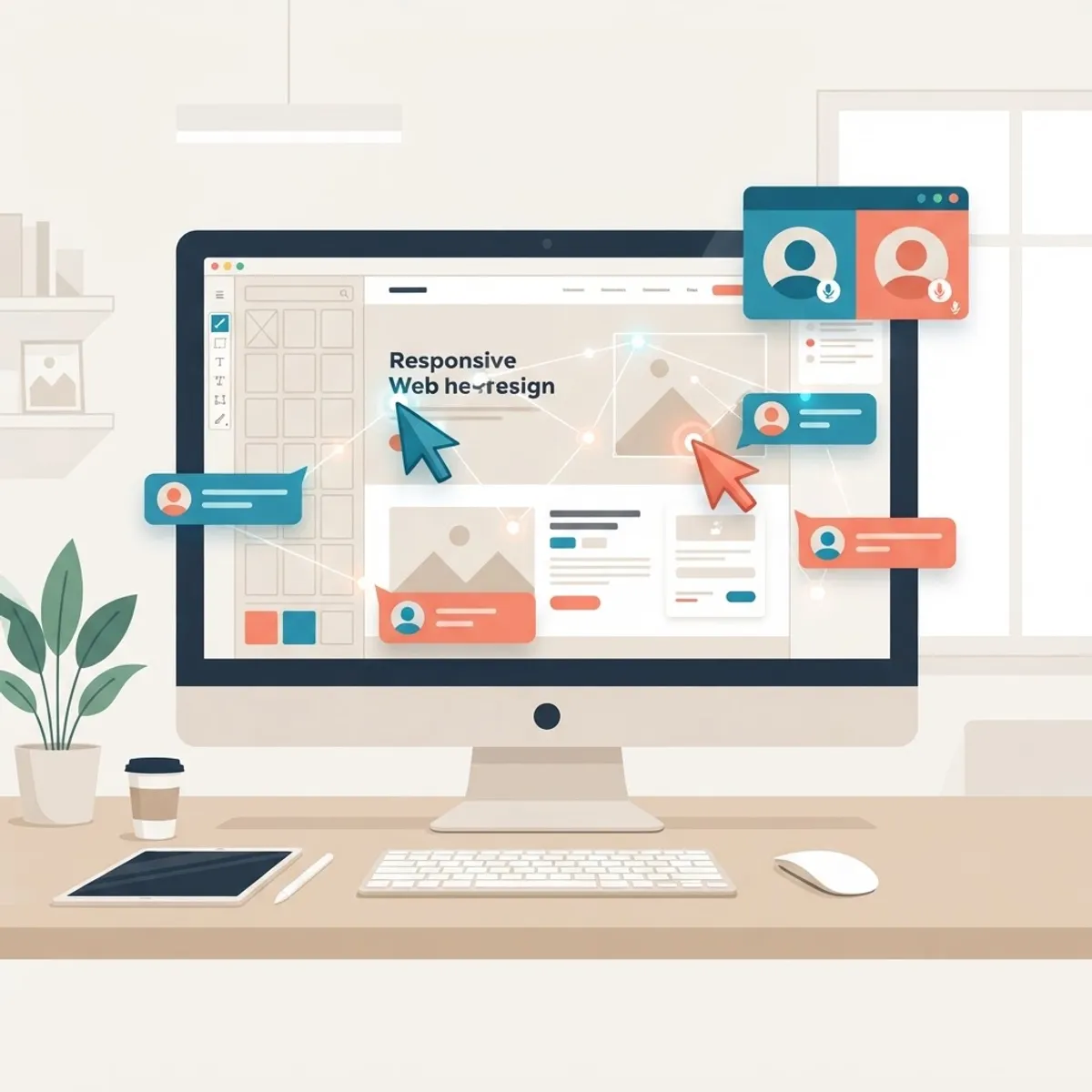
Real-time collaboration tooling exists to kill that loop. When clients comment directly on the live design, watch changes happen in shared sessions, and annotate actual staged pages instead of screenshots, feedback becomes specific, current, and convergent — and projects that used to burn three revision rounds close in one. Having run client engagements through every generation of this tooling, our team has clear favorites for each stage of a project. This guide covers the tools and, just as importantly, the process that keeps real-time collaboration from becoming real-time chaos.
Table of Contents
- Why the traditional feedback loop fails
- Design-stage collaboration: Figma with clients
- Prototype reviews that clients actually understand
- Annotating the real thing: staging and preview comments
- Async video and visual communication
- Running client collaboration without chaos
- Frequently asked questions
- Final thoughts
Why the Traditional Feedback Loop Fails
The email-and-PDF feedback cycle fails for structural reasons worth naming, because the tools below each fix a specific one. First, feedback detaches from its subject: "the section near the bottom feels cramped" forces the designer to guess which section, which page, and which version — and guessing wrong costs a revision round. Second, feedback arrives stale: by the time the client reviews the export, the design has moved on, so effort gets spent relitigating decisions already superseded.
Third, stakeholders collide invisibly: when feedback flows through separate emails, the CEO and the marketing lead contradict each other without ever knowing it, and the designer becomes an unwilling diplomat forwarding screenshots between them. Fourth, approval becomes unfalsifiable: without a system of record, "I never signed off on that" is a conversation no contract clause fully wins.
Real-time collaboration tools attack all four: comments pinned to exact elements on the current version, visible to every stakeholder simultaneously, with resolution states that constitute an audit trail. The result is not just faster projects — it is fewer of the trust-eroding misunderstandings that turn good client relationships adversarial by launch week.
Design-Stage Collaboration: Figma With Clients
Figma's browser-native, link-shareable model made it the first design tool clients could genuinely inhabit, and in 2026 it remains the strongest design-stage collaboration surface. Clients need no license to view and comment: they click a link, see the current design — always the current design — and pin comments to exact elements. Threads resolve in place, and the whole history remains auditable. For workshops, live multiplayer cursors turn a review call into a working session: the designer adjusts the hero while the client watches, and three rounds of "a bit bigger... too much... there" happen in ninety seconds instead of nine days.
Two features deserve deliberate use with clients. Sections and locked pages let you curate exactly what clients see — sparing them the sketch graveyard and the exploratory chaos that invites feedback on abandoned directions. Comment-resolution discipline turns the file into the single source of feedback truth: if it is not a Figma comment, it is not actionable feedback, a rule that gently retrains even committed email-senders within two review cycles.
The caveat: Figma shows clients pictures of a website, and some stakeholders cannot evaluate pictures — they need to click, scroll, and feel it on their phone. Design-stage collaboration closes the first half of the gap; the tools in the next two sections close the rest. Agencies offering professional website design typically run all three layers on every engagement, matched to project stage.
Prototype Reviews That Clients Actually Understand
Static screens invite feedback about static concerns — colors, copy, logo size — while the questions that actually sink projects are behavioral: does the navigation make sense, does the page flow persuade, does the form feel long. Interactive prototypes surface those questions early, and the current tooling makes them cheap to produce. Figma prototypes wire designed screens into clickable flows with realistic transitions, and clients review them on their actual phones — where the majority of their own customers will experience the site.
For marketing-site work, Framer collapses the prototype-reality gap entirely: what the client reviews is effectively the production site — real responsive behavior, real scroll effects, real load feel — which eliminates the perennial "it looked different in the mockup" conversation. Comments land directly on the live canvas, and approved work ships without a translation step.
One practiced habit multiplies prototype-review value: give clients a task, not a tour. "Find the pricing for the mid-tier plan and get to the signup form" produces observations about hesitation and confusion that no open-ended "thoughts?" ever surfaces. Prototype reviews run this way become lightweight usability tests with the people who know the business best — and their confusion reliably predicts their customers'.
Annotating the Real Thing: Staging and Preview Comments
Once designs become code, feedback needs to move onto the actual pages, and this is where website annotation tooling earns its keep. Tools like Markup.io and BugHerd let clients click any element on a staged site and leave a pinned comment — with the tool automatically capturing browser, viewport, and page context that clients would never think to report. The gap between "the button is broken" (useless) and "the button is broken — Safari 17, iPhone, /pricing" (actionable) is the entire value proposition.
For teams deploying on modern infrastructure, Vercel's preview deployments with built-in comments integrate this loop directly into development: every code branch generates a shareable preview URL, stakeholders comment on the live preview, and the feedback flows to the developers within the same workflow that ships the fix. Clients review the actual responsive behavior on their actual devices at every stage — not a simulation of it. This tight loop is one of the quiet advantages of building on stacks used in professional Next JS web development, where preview-per-branch is the default rather than an integration project.
Whatever tool carries them, staged-site reviews are also where quality control gets real: this is the stage where responsive breakpoints, form behavior, and content truth get verified by the people who know the business. Structured front-end web development engagements formalize it — a defined review window on staging, annotation tool of record, and a sign-off that references the exact preview build. That last detail turns launch approval from a feeling into a fact.
Async Video and Visual Communication
Not all collaboration should be real-time — clients have businesses to run, and timezone gaps are real — which makes async video the essential companion layer. A five-minute Loom walkthrough of a design iteration consistently outperforms both the meeting it replaces and the email it upgrades: clients hear the reasoning behind decisions before reacting to them, watch interactions in motion, and respond on their own schedule. Design walkthroughs delivered this way measurably reduce the reflexive-objection feedback that comes from clients encountering unexplained changes cold.
The same medium works in reverse. Clients narrating their screen — "here is where I got confused" — produce feedback with context no written comment carries: you see their viewport, their scrolling rhythm, their actual hesitation. For multi-stakeholder clients, a shared review video watched independently beats a meeting nobody could schedule, and the comments it collects arrive already anchored to timestamps.
Visual explanation matters in the other direction too. Complex proposals — information architecture changes, redesign rationales, before-and-after performance cases — land far better as annotated visuals than as prose. Agencies that invest in clear visual communication artifacts, from flow diagrams to concept boards, close approvals faster; it is the same skill that powers good graphic design, applied to the meta-work of explaining design itself. For distributed teams, pairing this with disciplined written summaries — decisions made, comments resolved, next review date — keeps the async loop from fraying.
Running Client Collaboration Without Chaos
Real-time tools amplify whatever process they are pointed at — including the absence of one. The teams that get compounding value from this tooling run a few consistent rules. One channel of record per stage: Figma comments during design, the annotation tool during staging, and a stated policy that feedback arriving elsewhere gets lovingly redirected. Scattered channels recreate the email problem inside better software.
Structured review windows beat continuous access. Perpetual comment access produces perpetual redesign; a defined review window — the design is ready, comments due Friday, resolution call Monday — produces convergence. Pair it with a named decision-maker on the client side: multiplayer commenting is democratic, but shipping requires someone empowered to resolve the CEO-versus-marketing contradiction that the tool has now made visible. Making contradictions visible is the tool's job; resolving them is governance.
Close every loop explicitly. Comments get resolved with a note — done, deferred with reason, or declined with rationale — so clients see their input metabolized rather than vanished, which is the single biggest driver of client trust in the process. Teams that run this discipline find revision rounds dropping from three-plus to one-point-something, and that saved cycle is margin on every project. It also scales beyond launch: ongoing website maintenance and support relationships run on the same annotate-review-resolve loop, applied to change requests instead of designs — and for broader campaign work, the same cadence keeps social media management and web workstreams aligned instead of colliding at the brand level.
Frequently Asked Questions
1. What is the best tool for getting client feedback on web designs? Figma is the strongest design-stage option — clients comment directly on the live design from a browser link, with no license required. Once the site is in development, website annotation tools like Markup.io or platform-native options like Vercel preview comments let clients pin feedback to the actual staged pages.
2. Can clients use Figma without design experience? Yes, as viewers and commenters. Clients need no account knowledge beyond clicking a link, viewing the design, and pinning comments. Curating what they see — a dedicated review page rather than the full working file — keeps the experience simple and the feedback focused.
3. How do website annotation tools work? Tools like Markup.io and BugHerd load the staged site inside a review layer where clients click any element and leave a pinned comment. The tool automatically records the page, browser, and screen size — turning vague reports into actionable, reproducible feedback for the development team.
4. What are preview deployments and why do they help client reviews? Preview deployments generate a live, shareable URL for every development branch, so clients review actual responsive pages — not screenshots — at every stage. Platforms like Vercel add commenting directly on those previews, feeding client feedback straight into the development workflow.
5. How many client revision rounds should a web design project have? Two structured rounds per phase is a healthy norm — one substantive, one refinement — and real-time collaboration tooling is what makes that achievable, since feedback arrives specific and current. Unlimited informal revisions correlate strongly with blown timelines and eroded margins on both sides.
6. How do you handle conflicting feedback from multiple client stakeholders? Collect all feedback in one visible channel so contradictions surface openly, then route resolution to a pre-agreed decision-maker on the client side. The tooling makes conflicts visible early — which is a feature — but a named final approver is what converts visibility into decisions.
7. Is real-time collaboration better than async for client work? They serve different moments. Live sessions excel for workshops and resolving contested decisions quickly; async annotation and video walkthroughs respect client schedules and produce more considered feedback. Strong engagements deliberately alternate: async review windows punctuated by short live resolution calls.
8. How do you get formal client sign-off in a collaborative workflow? Anchor approval to an artifact: a specific Figma page version or a specific preview deployment URL, referenced in a written confirmation. Comment-resolution history plus a versioned sign-off gives both sides an unambiguous record of exactly what was approved and when.
Final Thoughts
The best real-time collaboration stack for client web design work in 2026 maps tools to stages: Figma's live canvas and comments while the design is forming, clickable prototypes when behavior needs evaluating, annotation tools and preview-deployment comments once real pages exist, and async video stitching the loop together across calendars. Every layer replaces a specific failure of the email era — detached feedback, stale versions, invisible contradictions, unfalsifiable approvals — and together they routinely halve revision cycles.
But the tooling only compounds inside a process: one channel of record, structured review windows, a named decision-maker, and explicitly closed loops. That combination is learnable, and it changes how clients experience working with a web team — from anxious spectators to genuine collaborators. It is how we run every engagement, from first wireframe through launch and beyond. If your current project's feedback lives in email threads and screenshot attachments, we would be glad to show you what the alternative feels like from the client's side of the table.