Best Graphic Design Programs in 2026: A Complete Guide for Beginners and Pros
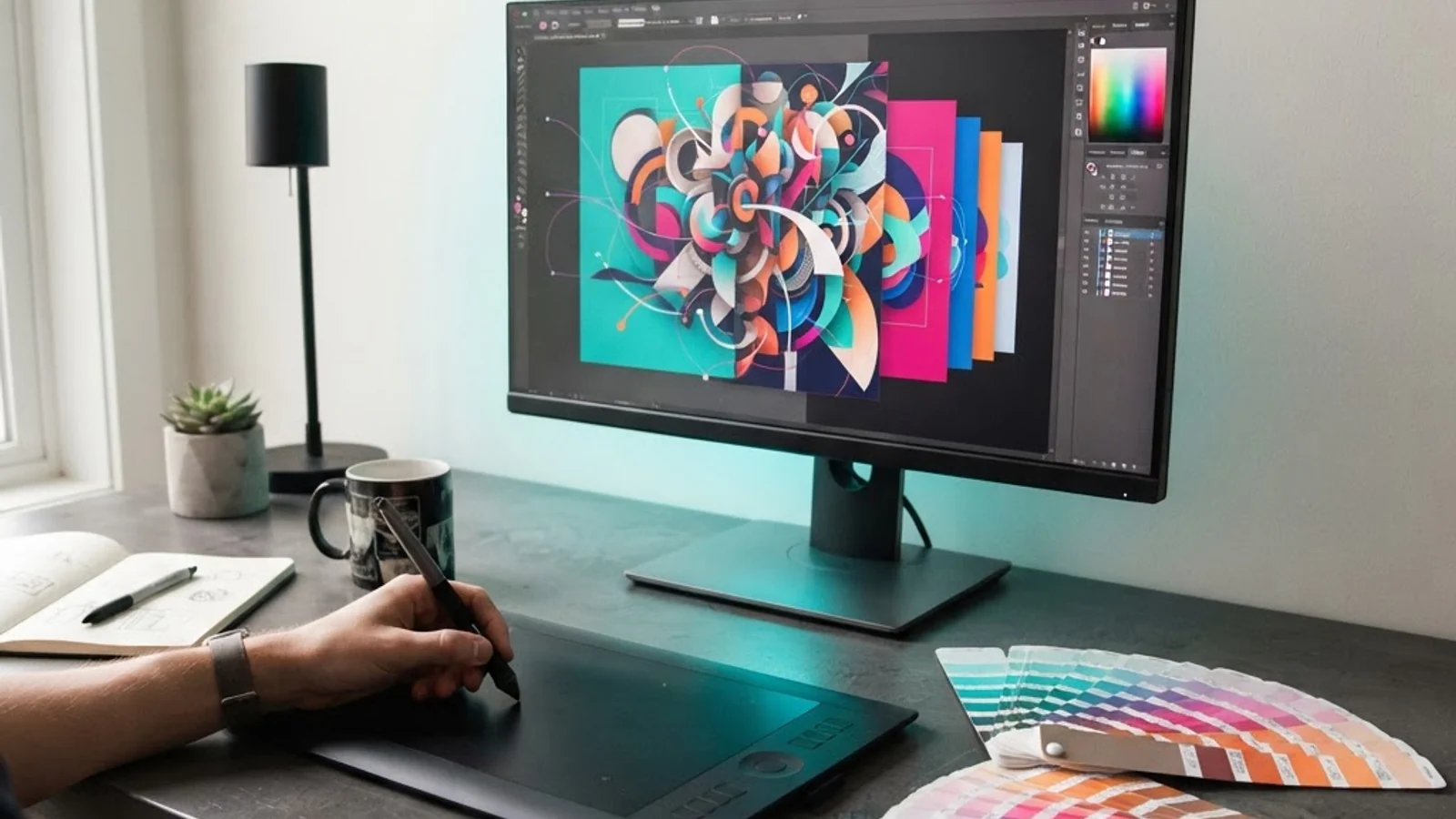
Choosing the right graphic design programs can make the difference between a frustrating learning curve and a smooth creative workflow. A graphic design program, in simple terms, is software used to create, edit, and manipulate visual content such as logos, social media graphics, illustrations, layouts, and marketing collateral. The market today ranges from beginner-friendly browser tools to professional-grade suites used by agencies and in-house design teams, and picking the wrong one early on often costs designers weeks of relearning time later.
Quick Answer: The best graphic design programs depend on skill level and use case: Adobe Photoshop and Illustrator remain the industry standard for professionals, Canva and Figma work well for beginners and teams, and Affinity Designer offers a strong one-time-purchase alternative for freelancers who want professional results without a subscription.
How WebPeak Supports Businesses With Graphic Design Software Decisions
Picking software is only half the battle; knowing how to use it to produce brand-consistent, conversion-focused visuals is where most businesses struggle. WebPeak works with clients worldwide to handle graphic design production end-to-end, from choosing the right program stack for a team's workflow to delivering finished logos, social creatives, and marketing assets that stay on-brand across every channel. Instead of a business investing in software licenses and training time, WebPeak's design team already runs on professional-grade tools and applies them to real campaign needs, which shortens the time between a design request and a usable asset.
What Should You Actually Look For When Choosing a Graphic Design Program?
The right graphic design program depends on three factors: what you're designing, how often you'll use it, and whether you're working alone or with a team.
Vector-based programs like Illustrator or Affinity Designer are built for logos, icons, and anything that needs to scale without losing quality. Raster-based programs like Photoshop or GIMP are built for photo editing and detailed pixel work. Layout tools like InDesign or Canva are built for multi-page documents, social templates, and brand kits. Most professional designers end up using at least two of these categories together, not one program for everything.
Team collaboration is another deciding factor. Figma and Canva were built with real-time, browser-based collaboration in mind, which makes them a better fit for marketing teams that need quick approvals. Adobe's desktop suite, by contrast, is stronger for deep, detailed production work but requires more deliberate file-sharing steps.
Categories of Graphic Design Programs Worth Comparing
Rather than treating 'graphic design software' as one category, it helps to break it down by purpose:
- Vector illustration tools: Adobe Illustrator, Affinity Designer, Inkscape (free), best for logos, icons, and scalable brand assets.
- Raster/photo editing tools: Adobe Photoshop, GIMP, Photopea (browser-based), best for photo retouching, compositing, and pixel-level detail.
- Layout and publishing tools: Adobe InDesign, Canva, Microsoft Publisher, best for brochures, ebooks, and multi-page print or digital documents.
- UI/UX and product design tools: Figma, Adobe XD, Sketch, best for app interfaces, wireframes, and prototypes.
- All-in-one, browser-based tools: Canva, Visme, best for beginners, social media graphics, and non-designers producing quick content.
A practical rule of thumb: if the deliverable needs to scale (billboards, business cards, app icons), start with a vector tool. If the deliverable is a photo or a texture-heavy graphic, start with a raster tool.
Comparing Popular Graphic Design Programs Side by Side
The table below compares five widely used graphic design programs across pricing model, primary use case, and learning curve, based on their current publicly listed offerings.
| Program | Best For | Pricing Model | Learning Curve |
|---|---|---|---|
| Adobe Photoshop | Photo editing, digital art, compositing | Subscription (Creative Cloud) | Moderate to steep |
| Adobe Illustrator | Logos, vector graphics, print design | Subscription (Creative Cloud) | Moderate to steep |
| Canva | Social media graphics, quick templates | Freemium, paid tiers | Very beginner-friendly |
| Figma | UI/UX design, team collaboration | Freemium, paid tiers | Moderate |
| Affinity Designer | Vector illustration, professional freelance work | One-time purchase | Moderate |
What Real Design Workflows Show About Software Choice
In practice, teams that standardize on one primary program per design category (one vector tool, one raster tool, one layout tool) consistently move faster than teams that mix multiple overlapping tools for the same task, because file compatibility and team training stay simpler. Freelancers who switch from subscription-based software to one-time-purchase alternatives like Affinity Designer often report lower long-term costs, though they trade away some of the plugin ecosystem and cloud-collaboration depth that Adobe's suite offers.
Beginners frequently start with Canva because of its template library, but designers who plan to work professionally in branding, packaging, or print eventually need a vector tool like Illustrator or Affinity Designer, since Canva's editing depth is limited for custom logo work. This progression, template tool first, professional vector/raster tools next, is a pattern seen consistently across design bootcamps and self-taught portfolios alike. For businesses evaluating design talent or agencies, resources like this overview of why graphic design matters for business growth outline why investing properly in design capability, not just software, drives measurable brand impact.
Key Takeaways
- Vector tools (Illustrator, Affinity Designer) are best for logos and scalable brand assets; raster tools (Photoshop, GIMP) are best for photos and detailed pixel work.
- Canva and Figma suit teams that need fast, browser-based collaboration; Adobe's suite suits deep, detailed production work.
- One-time-purchase tools like Affinity Designer can reduce long-term costs for freelancers compared to subscription software.
- Standardizing on one program per design category speeds up team workflows and reduces file compatibility issues.
- Beginners often start with template-based tools, then graduate to vector software once they need custom, scalable brand assets.
Frequently Asked Questions
What is the easiest graphic design program for beginners?
Canva is generally the easiest starting point because it uses drag-and-drop templates and doesn't require understanding vector paths or layers in depth. It's well suited for social media graphics and quick marketing materials, though it has limits for detailed custom design work like logos.
Is Adobe Photoshop still the industry standard for graphic design?
Yes, Photoshop remains widely used across advertising, publishing, and photography industries for raster-based editing. However, it's typically paired with Illustrator for vector work and InDesign for layout, since Photoshop alone isn't built for scalable logo design or multi-page documents.
Can I do professional graphic design work without Adobe software?
Yes. Affinity Designer, Affinity Photo, and free tools like Inkscape and GIMP can produce professional-quality output without a subscription. The main trade-off is a smaller plugin ecosystem and fewer built-in cloud collaboration features compared to Adobe Creative Cloud.
Which graphic design program is best for a small business without a design team?
Canva is usually the most practical choice for small businesses without in-house designers, thanks to its templates and simple interface. For more advanced or brand-specific needs, working with an outside design service is often more efficient than trying to master professional software internally.
Do I need to learn multiple graphic design programs?
Most professional designers use at least two: one vector tool for logos and icons, and one raster tool for photo editing or texture work. Learning both isn't mandatory to start, but it becomes necessary as design requests move beyond simple templates into custom branding.
Conclusion
The most important decision when choosing graphic design programs isn't finding the single 'best' software, it's matching the tool to the specific type of work you need done, whether that's scalable vector branding, detailed photo editing, or fast team collaboration. Beginners can start with accessible, template-driven tools and grow into vector or raster software as their design needs get more specific, while businesses without the time or team to manage this learning curve are often better served by partnering with an experienced design provider. Whichever path you choose, prioritize consistency across the tools your team actually uses over chasing every new software release.