Imagine building a beautiful store with a single step at the entrance and no ramp. Most customers walk in without noticing, but a significant number simply can't get through the door — and they take their business elsewhere. That's exactly what an inaccessible website does, except the barrier is invisible to the people who built it.
Web accessibility means designing sites that everyone can use, including people with visual, auditory, motor, or cognitive disabilities. It's often treated as an afterthought or a compliance chore, but that framing misses the point entirely. Accessibility is central to good design, and ignoring it costs businesses users, revenue, search visibility, and reputation. This guide explains why accessibility matters so much and how to build it into your web design from the start.
Table of Contents
- What web accessibility actually means
- The human case for accessibility
- The business and revenue case
- Accessibility and SEO go hand in hand
- The legal risks of ignoring it
- Practical accessibility best practices
- Building accessibility into your process
- Frequently asked questions
- Final thoughts
What Web Accessibility Actually Means
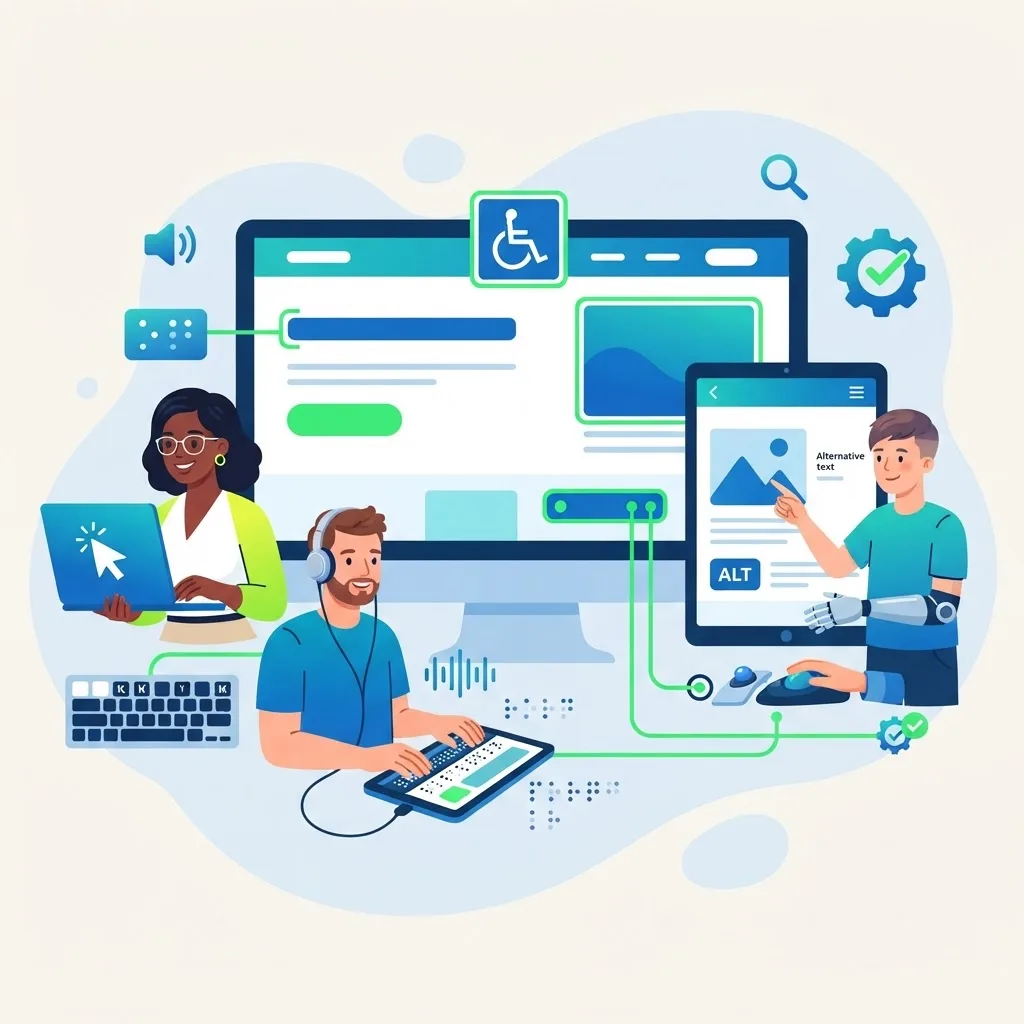
Web accessibility is the practice of ensuring websites work for people of all abilities and disabilities. This includes people who are blind or have low vision and use screen readers, people who are deaf or hard of hearing, people with motor impairments who navigate by keyboard, and people with cognitive differences who benefit from clear, simple interfaces.
The internationally recognized standard is the Web Content Accessibility Guidelines (WCAG), which organizes accessibility around four principles: content should be perceivable, operable, understandable, and robust. Meeting these guidelines ensures your site can be used with a wide range of tools and adaptations.
Importantly, accessibility isn't only about permanent disabilities. It also serves people with temporary limitations — a broken arm, bright sunlight on a screen — and situational ones, like browsing one-handed on a phone. Designing for accessibility improves the experience for virtually everyone.
The Human Case for Accessibility
The most fundamental reason to build accessible websites is simple fairness. Roughly one in five people lives with some form of disability. When a site is inaccessible, it excludes a huge population from information, services, and opportunities that others take for granted.
The web was designed to be universal — a place where anyone, anywhere, could access information. Inaccessible design breaks that promise. For someone relying on a screen reader, an image without alt text is a blank void; a form without proper labels is impossible to complete; a video without captions is silent.
Building accessible sites is a statement about who you value as a customer and a person. It says everyone is welcome. That inclusivity isn't just ethical; it shapes how people perceive and trust your brand.
The Business and Revenue Case
Beyond ethics, accessibility is smart business. People with disabilities and their families control significant spending power, and an inaccessible site turns that potential revenue away at the door. Every visitor who can't use your site is a lost customer who likely won't return.
Accessible design also tends to be better design for everyone. Clear structure, readable text, good contrast, and logical navigation improve usability for all visitors, which lifts engagement and conversions across the board. The investment in accessibility pays dividends well beyond the users who strictly require it.
There's a reputational upside too. Brands known for inclusivity earn loyalty and positive word of mouth. Pairing accessible website design with thoughtful content writing signals that your business genuinely cares about all of its customers.
Accessibility and SEO Go Hand in Hand
One of accessibility's most underrated benefits is its overlap with search engine optimization. Many practices that help disabled users also help search engines understand your content, because both rely on well-structured, semantic, and clearly labeled pages.
Alt text describes images to screen readers and to search engines. Proper heading structure helps assistive tools and crawlers grasp your content hierarchy. Descriptive links, clean markup, and captions or transcripts for media all serve accessibility and SEO simultaneously. Google's emphasis on page experience and helpful content aligns closely with accessible design.
In effect, investing in accessibility gives you an SEO boost for free. This is why experienced teams treat accessibility as a core part of front-end web development and digital marketing rather than a separate, optional task.
The Legal Risks of Ignoring It
Accessibility is increasingly a legal requirement, not just a best practice. In many countries, laws require websites — especially those of businesses and public bodies — to be accessible, and lawsuits over inaccessible sites have risen sharply in recent years.
Businesses of all sizes have faced legal action and costly settlements because their websites couldn't be used by people with disabilities. Retrofitting accessibility under legal pressure is far more expensive and stressful than building it in from the start.
Even where specific laws are ambiguous, the direction of travel is clear: accessibility expectations are tightening globally. Building to recognized standards like WCAG is the safest, most cost-effective way to protect your business while doing right by your users.
Practical Accessibility Best Practices
Making a site accessible is very achievable when approached systematically. Start with the fundamentals that deliver the biggest impact.
Provide text alternatives. Add descriptive alt text to meaningful images and captions or transcripts to video and audio so no content is locked away from assistive technology.
Ensure sufficient color contrast. Text should stand out clearly against its background, and you should never rely on color alone to convey meaning — pair it with text or icons.
Support keyboard navigation. Every interactive element should be reachable and usable with a keyboard, with a visible focus indicator, for people who can't use a mouse.
Use semantic structure and labels. Proper headings, landmarks, and form labels help screen readers interpret the page. Clean, semantic markup is the backbone of an accessible site and a hallmark of quality front-end web development.
Building Accessibility Into Your Process
The most reliable way to achieve accessibility is to design for it from day one rather than bolting it on before launch. When accessibility is a requirement from the start, it shapes layout, color choices, content structure, and code in ways that are far cheaper than retrofitting.
Include accessibility checks throughout the workflow: designers verify contrast and clarity, developers test keyboard and screen reader behavior, and content creators write clearly and add alt text. Automated tools catch many technical issues, but real testing with assistive technology reveals problems tools miss.
Accessibility is also ongoing. As you add content and features, new barriers can creep in, so periodic audits and updates — often part of website maintenance and support — keep your site inclusive over time.
Common Accessibility Myths, Debunked
A handful of persistent myths keep businesses from investing in accessibility. Clearing them up removes most of the hesitation.
Myth: Accessibility only matters for a tiny minority. In reality, disabilities affect around one in five people, and accessible features help far more — anyone on a small screen, in bright light, on a slow connection, or in a noisy environment benefits. The audience is enormous, not marginal.
Myth: It's too expensive. The real expense comes from retrofitting accessibility under legal pressure or after launch. Built in from the start, accessibility adds little cost and often improves the design, making it cheaper overall than the alternative.
Myth: It makes sites ugly or boring. Accessibility governs how a site works, not how creative it can look. Countless beautiful, award-winning sites are fully accessible. Good contrast, clear structure, and readable type are hallmarks of strong design, not limitations on it.
Myth: An overlay widget fixes everything. Automated overlays that promise instant compliance frequently fall short and can even introduce new barriers. Genuine accessibility comes from building the underlying site correctly, which is why it belongs in the core front-end web development work.
Myth: You can add it later. You can, but it's harder and costlier. Designing inclusively from day one is always the smarter path, and it protects you as accessibility expectations continue to tighten worldwide.
Frequently Asked Questions
1. Is web accessibility legally required? In many regions, yes, particularly for businesses and public services, and legal action over inaccessible sites is increasingly common. Even where laws are less explicit, building accessibly protects you as expectations tighten.
2. Does making my site accessible hurt its design? Not at all. Accessible design typically improves clarity, readability, and usability for everyone, resulting in a cleaner, more professional site rather than a compromised one.
3. How do I know if my website is accessible? Start with automated tools that scan for common issues like contrast and missing alt text, then test with a keyboard and a screen reader. A professional accessibility audit gives the most complete picture.
4. What is WCAG? WCAG stands for the Web Content Accessibility Guidelines, the internationally recognized standard for web accessibility. It organizes best practices around content being perceivable, operable, understandable, and robust.
5. Does accessibility really help SEO? Yes. Many accessibility practices — alt text, semantic headings, descriptive links, clean structure — also help search engines understand your content, so the two reinforce each other.
6. Can I add accessibility to an existing site? Yes, though it's easier and cheaper to build it in from the start. An audit will identify priority fixes, and many improvements can be made incrementally.
7. Do accessibility overlay tools solve the problem? Overlays can help with some issues but are not a complete or reliable solution and can even introduce new problems. Genuine accessibility comes from building the site correctly, not from a single plugin.
Final Thoughts
Accessibility in web design isn't a niche concern or a box to tick — it's a core part of building websites that serve everyone, perform better, rank higher, and protect your business from legal risk. When you design inclusively, you widen your audience, improve usability for all visitors, and demonstrate that your brand genuinely values every customer.
The best time to build accessibility into your site was at the start; the second best time is now. If you want a website that welcomes every visitor and performs at its best, reach out to our team and let's create something inclusive, effective, and built to last.